Plugin SorterPlugin Sorter

The plugin manager FL Studio on Mac was missing

Fill FL Studio's picker with pictures of your plugins. Sort your VST3 and VST plugins by developer. Check, turn off and remove them, all in one window.

Download for Mac

Free and open source. For Mac with Apple Silicon or Intel, macOS 11 or later.

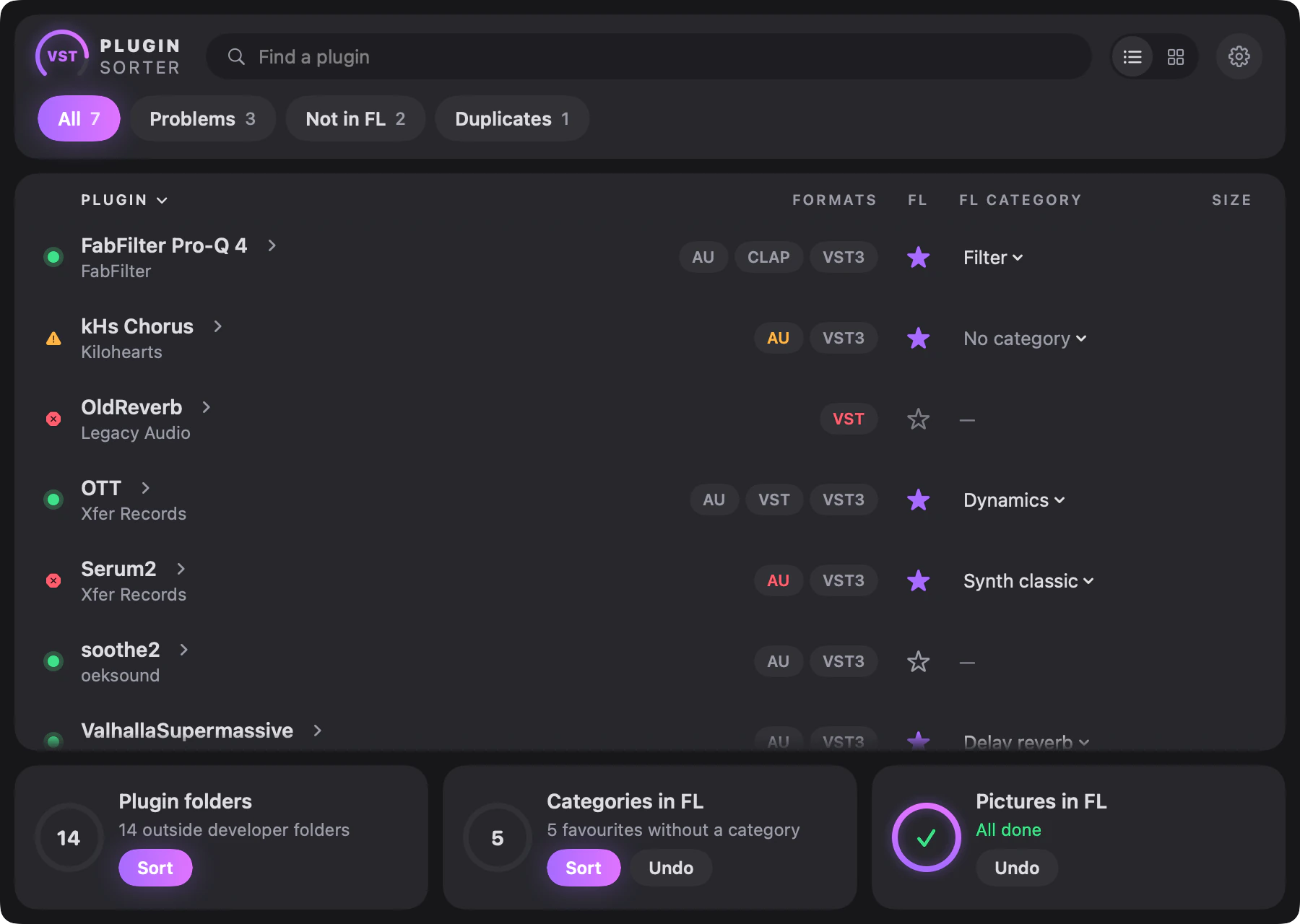
Plugin Sorter window: a list of plugins with status lamps, formats, FL Studio favourites and categories, and three jobs at the bottom

In FL Studio

FL Studio plugin pictures, all at once

In FL Studio a thumbnail is a manual job, one plugin at a time, so many third-party plugins stay plain text in the picker. Plugin Sorter fills the plugin picker in one go, with a shot of the real interface wherever a plugin has an Audio Unit version. Your third-party plugins finally look like FL's own.

Before
FL Studio plugin picker where some plugins have pictures and many third-party plugins are still plain text
After
FL Studio plugin picker with plugin pictures, sorted into category tabs
  • One button takes the pictures. Plugins with an Audio Unit version pop up in the corner for a moment while it works.
  • A plugin with no Audio Unit version, or one that won't open, gets a neat card instead. You can also drop your own image on any plugin.
  • Favourites go under the picker's tabs: Dynamics, Filter, Delay reverb and the rest. Every job can be undone.

In your plugin folder

Organize your VST plugins on Mac

After a few years of production the plugin folder turns into a flat wall of hundreds of files. Plugin Sorter is a VST plugin manager for Mac that works out who made each plugin and puts things in order.

Sorted by developer

VST3 and VST plugins move into one folder per developer. The name comes from the plugin itself, so OTT lands in Xfer Records. You see every move first, and one click undoes it.

Illustration. The plugins with warnings are made up.

See what actually loads

Every plugin gets a test load in the background. The lamps show what works, and a problem comes with plain words and often a one-click fix.

Clean uninstall

A plugin leaves with its preferences, caches and installer receipts. A developer's folder is never ticked for you.

Find duplicates

Old versions and extra copies are listed for you. Nothing is ticked until you decide.

Turn off, don't delete

Hide a plugin from every DAW without removing it. Turn it back on any time.

Licenses in Keychain

Keep licenses in the macOS Keychain, add tags and colours, export the list.

Cards and colour skins

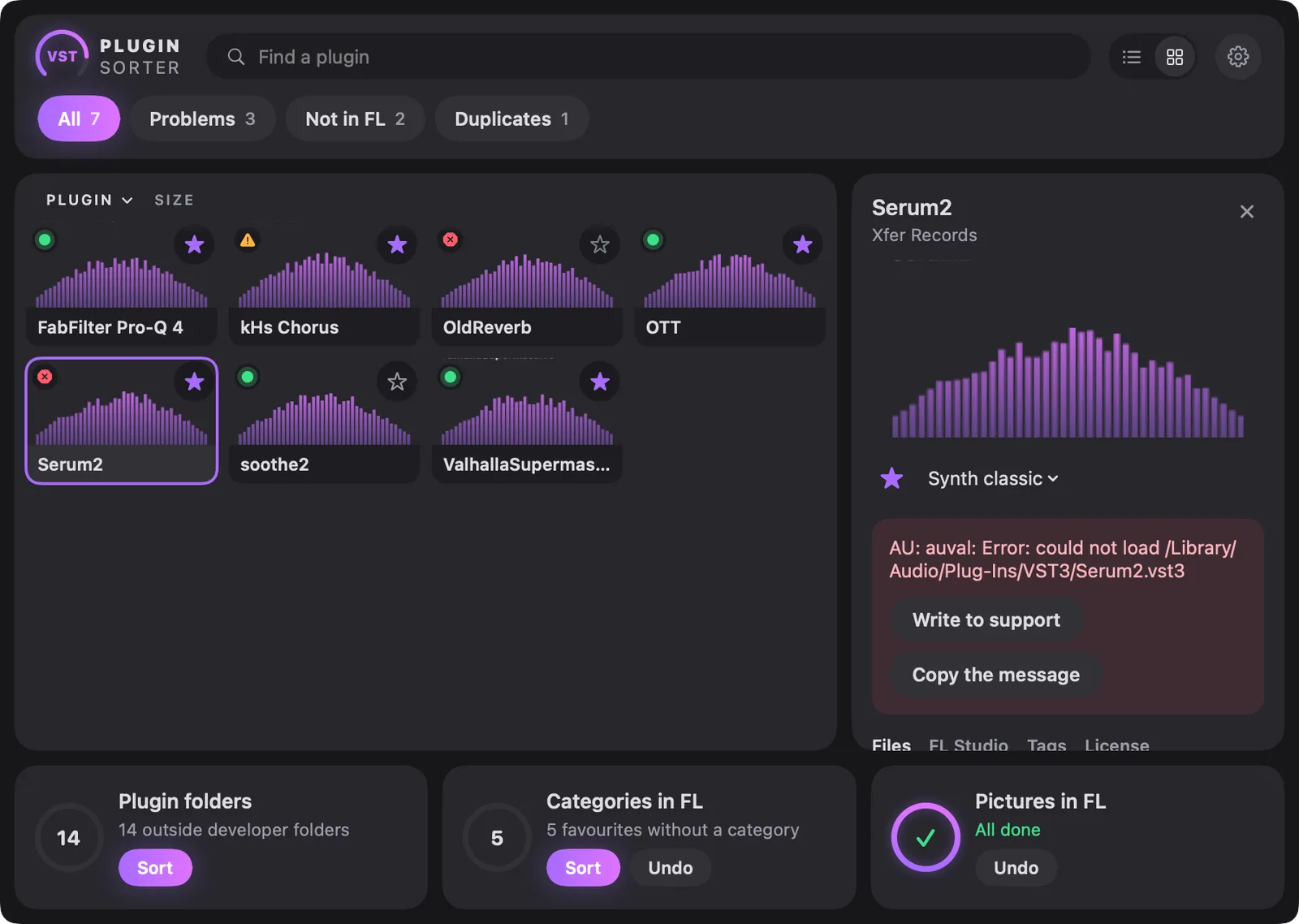
Flip the list into picture cards and pick a skin. Graphite panels and status lamps, like the plugins you already love. A tool you open every day should feel good.

Colour skins

  • Violet
  • Mint
  • Amber
  • Ice
Plugin Sorter in card view, with one plugin open in a panel on the right

Side by side

How it differs from FL Studio's Plugin Manager

Plugin Sorter works alongside FL Studio, not instead of it. FL still scans your plugins. Plugin Sorter takes on what its Plugin Manager leaves to you.

What you needFL Studio Plugin ManagerPlugin Sorter
Scan plugins into FL Studio's databaseYesNo, FL Studio does this
Find and check installed pluginsYesYes, in plain words, with fixes
Picture for each pluginBy hand, one at a timeAll plugins at once
Favourites under the picker's tabsBy handOne click
Sort plugin files by developerNoYes, with undo
Hide a plugin from every DAWNoYes, and bring it back any time
Uninstall with preferences, caches and installer receiptsNoYes
Send old versions and extra copies to the TrashNoYes
Keep licenses in the macOS KeychainNoYes
Export the plugin list to Markdown, CSV or JSONNoYes

Three steps

Install in a minute

  1. Download

    Get PluginSorter.dmg from the latest release.

  2. Drag to Applications

    Open the file and drag Plugin Sorter onto the Applications folder.

  3. Allow the first launch

    macOS refuses to open the app the first time. You only do this once.

macOS 15 and laterOpen System Settings, Privacy & Security, and click Open Anyway.
Older macOSRight-click the app and choose Open.

The warning appears because the app is not notarized by Apple. The source code is open on GitHub, so you can read it or build it yourself.

Download for Mac

Mac only. Reading on a phone? Open this page on your Mac.

Questions

Is Plugin Sorter free?

Yes. It is free and open source under the MIT license.

Does it run on Apple Silicon?

Yes. It is a universal app for Apple Silicon and Intel Macs, macOS 11 or later.

Is it safe to move my plugins?

You see every move before it happens, each run writes a log, and Undo puts everything back. DAWs identify plugins by their IDs, not their paths, so existing projects normally keep loading them, and if another plugin loads a moved bundle, a one-click fix puts it back. Sorting asks for an administrator password, and FL Studio needs a rescan afterwards.

Why does macOS warn me when I open it?

The app is not notarized by Apple, so macOS stops the first launch. Allow it once. On macOS 15 and later that's in System Settings, Privacy & Security. On older versions right-click the app and choose Open.

What happens to Audio Units?

They stay in the Components folder. macOS only registers Audio Units that sit directly in it, so Plugin Sorter never moves them into developer folders.

Does it replace FL Studio's Plugin Manager?

No, they work side by side. FL Studio still scans your plugins. Plugin Sorter adds the pictures, the categories and the tidy folders.

Is it only for FL Studio?

Pictures and categories are for FL Studio. Sorting, checks, turning off and clean uninstall deal with the plugin files, so they help whatever DAW you use.

From the author

Support the project

I made Plugin Sorter because my plugin folder was a mess and many plugins in my picker were plain text. If it helps you too, that's the best thanks. A star on GitHub helps other musicians find it.

Plugin Sorter

Your plugins, finally in order

Download for Mac

Mac only. Reading on a phone? Open this page on your Mac.

Your download has started

Plugin Sorter is free. If it saves you time, you can support it, but you don't have to.

The file is for Mac. If macOS warns you on launch, allow the app in Privacy & Security. On older macOS, right-click the app and choose Open.

The form is run by Ko-fi. Open Ko-fi in a new tab